
Before releasing a new update, PUBG Mobile developers hold a beta test to allow players to check out all the new features before integrating them into the game. Now that the highly anticipated beta of PUBG Mobile 1.7 is available, they can download it and learn more about the new content.
Even more interesting, this time there is no need for an invitation or a binding code, which implies that all users who download the APK can enjoy the new features.
Note: PUBG Mobile is banned in India. As a result, users in the country should refrain from downloading the beta and play BGMI instead.
PUBG Mobile 1.7 beta download on Android devices
Here are links for 64-bit and 32-bit Android APK files for PUBG Mobile 1.7 beta:
Android x64 (64 bit): Click here – Size 664 MB
Android x86 (32 bit): Click here – Size 585 MB
As the file sizes are mentioned above, users should note that they have adequate storage space on their mobiles. Additionally, they need to download additional resource packs.
Steps for installation
Step 1: Users need to download the required version on their Android devices via the above links.
Step 2: Subsequently, once they have downloaded the required APK on their devices, they will be able to proceed with the installation function.
(They should enable the “Install from unknown source” setting before installation)
Step 3: Once the process is complete, players can launch the PUBG Mobile beta and then choose between the two resource packs: Low-spec and HD.
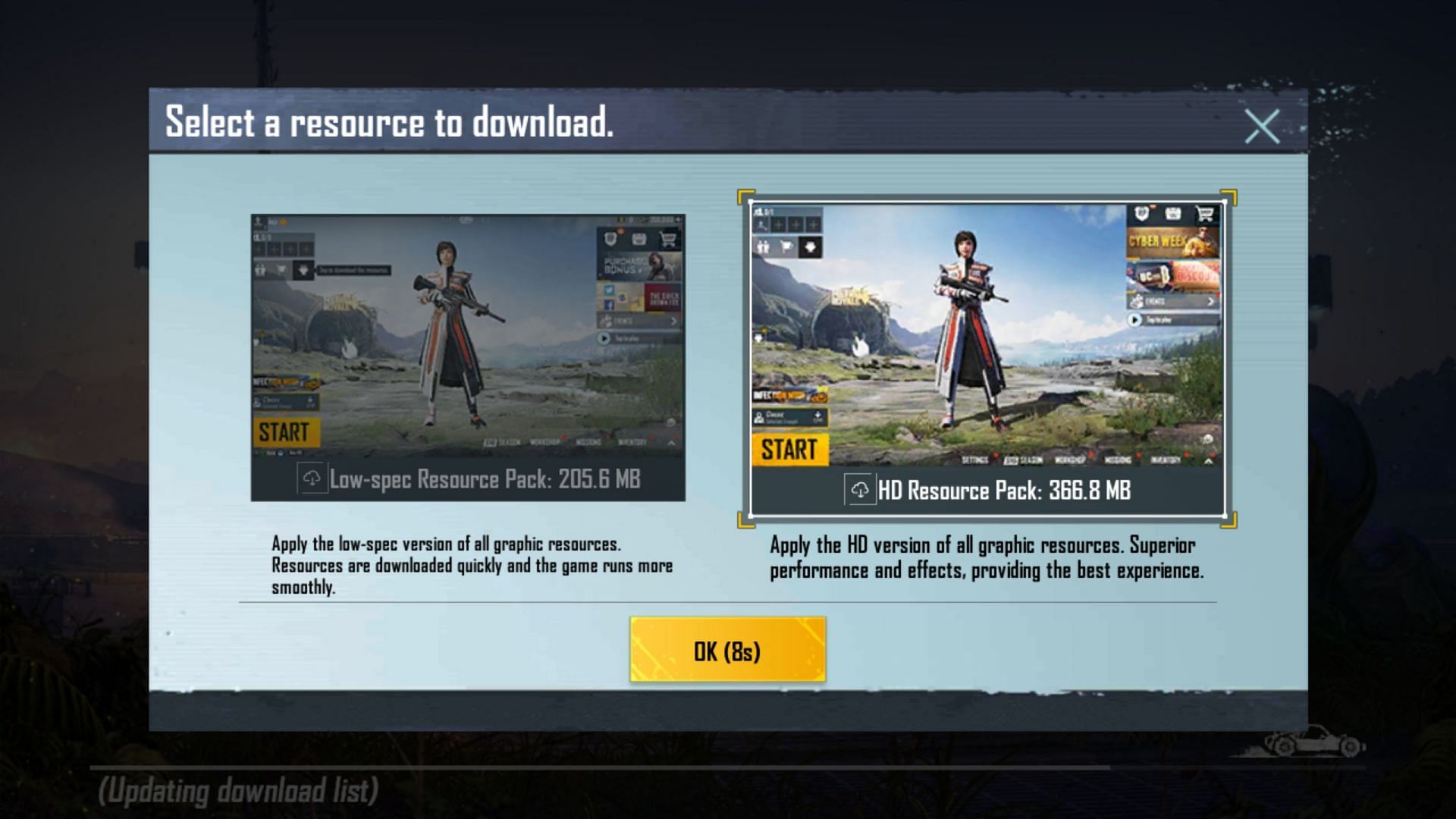
- Low Spec Resource Pack: 205.6 MB
- HD Resource Pack: 368.8 MB.
SO READThe article continues below
Step 4: Once the required resource pack is installed, they can log in via the guest account and try the 1.7 beta version of the game.
In case of parsing error, users are advised to reinstall APK file for PUBG Mobile 1.7 beta. If the problem still shows up after doing that, they can download the file again and follow the above-given steps.





0 Yorumlar